Mathesar 0.9.0 Release

Mathesar 0.9.0 is here! This release introduces the ability to hide and show columns on the table page, making it easier to focus on the data that matters most. We've also added spreadsheet-like cell range selection using Shift + arrow keys, and improved table editing with multi-column resizing.
This release also includes improvements to the record page, including record deletion directly from record view and better display of column descriptions. Data explorations can now be duplicated with a single click, and filtering workflows are faster with a new clear-all button.
Other highlights in this release:
- 🙈 Hide columns: Temporarily hide columns from the table page and quickly show them again.
- ↔️ Better table editing: Resize multiple columns at once and select cell ranges with Shift + arrow.
- 🗑️ Record-page deletion: Delete records directly from the record page.
- 🧭 Exploration duplication: Duplicate data explorations from the schema page context menu.
- 🧹 Clear all filters: Reset active filters with one click.
- ⏱️ Better datetime parsing: More timestamp input formats are now normalized consistently.
And of course, many other fixes and enhancements. Read our full release notes for more information.
🙈 Hide columns on the table page
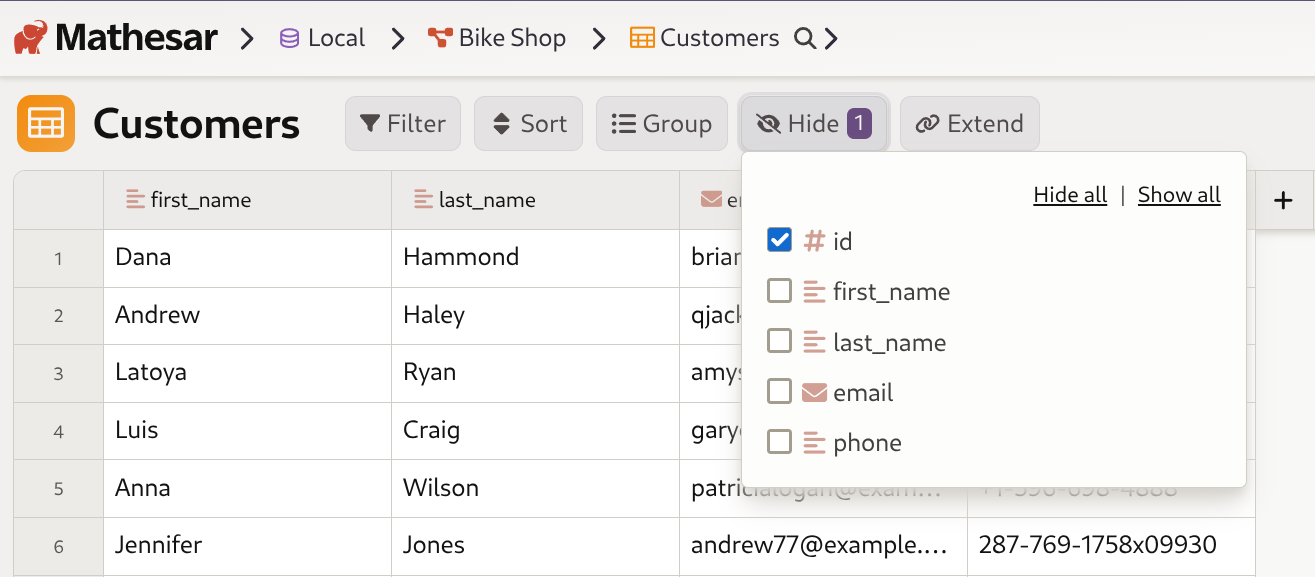
The table page now includes a "Hide columns" button that lets you temporarily hide columns you don't need. You can hide columns one by one or hide multiple selected columns from the column context menu.
When adding a new record, any required columns that were hidden are automatically shown with a notification so data entry can be completed.
↔️ Enhanced table editing experience
Mathesar now supports resizing multiple columns at the same time, making table layout changes much faster. You can also use Shift + arrow keys to select ranges of cells for a more spreadsheet-like workflow.
🗑️ Delete directly on the record page
You can now delete records directly from record view without navigating back to the table page. Column descriptions on the record page are also now available from an info icon with a hover tooltip.
🧭 Data exploration duplication
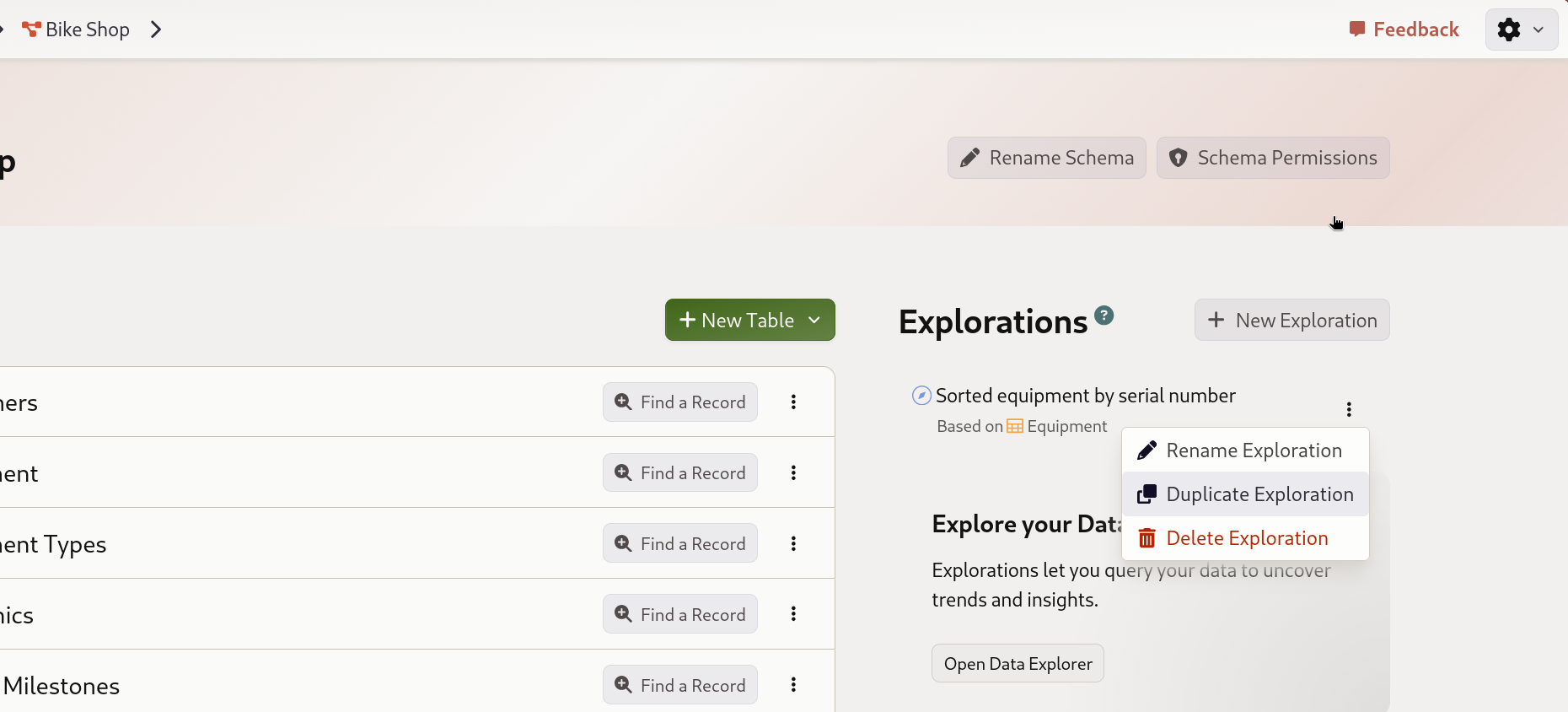
You can now duplicate data explorations directly from the schema page context menu. This makes it easier to create variations of an exploration or use an existing one as a starting point.
🧹 Streamlined filtering
A new "Clear all filters" button appears in the filter header whenever filters are active, making it easy to reset and start fresh.
⏱️ Improved datetime parsing
Mathesar now correctly handles datetime inputs that omit leading zeros or seconds, such as 2000-01-01 9:00:00 and 2000-01-01 09:00, normalizing valid values before sending them to PostgreSQL.
🎨 Additional UI improvements
- Column reordering in table widgets now reflects reordering from the main table view.
- Long table and column descriptions are easier to edit with auto-expanding text areas.
⚠️ Compatibility reminder
Mathesar 0.8.0 ended official support for PostgreSQL 13 and Python 3.9. Mathesar 0.9.0 supports:
- Python: 3.10 to 3.13
- PostgreSQL: 14 to 18
Learn more about our version support strategy.
Get started with Mathesar in minutes
Install Mathesar and simplify your workflow instantly.
