Mathesar 0.11.0 Release

Mathesar 0.11.0 is here! This release introduces several improvements for administrators, including GitHub support for single sign-on (SSO), a new setting to require SSO login, and narrower permissions for showing user information to non-admins.
It also adds native UI support for interlinked tables in different schemas, plus an experimental option for auto-provisioning a separate PostgreSQL role and database for each new user.
This release includes a few other bug fixes, maintenance upgrades, and groundwork. We've also removed support for importing files from URLs. Read our full release notes for complete details and upgrade instructions.
🔐 GitHub SSO and SSO-only login mode
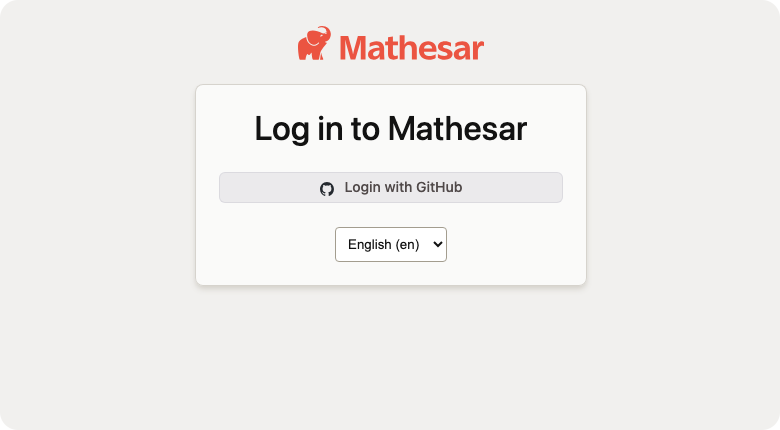
Mathesar can now use GitHub as an SSO provider alongside existing OIDC providers. Administrators can configure either a GitHub OAuth App or a GitHub App using the new version 2 SSO configuration schema.
Administrators can also set REQUIRE_SSO_LOGIN=true to disable password-based login after SSO has been configured. When this setting is enabled, Mathesar's login page shows SSO options only, and users cannot change their own passwords or email addresses.
This setting only takes effect when at least one SSO provider is configured. If it is enabled without an SSO provider, Mathesar keeps password login available to avoid locking administrators out.
👥 User columns now only list database collaborators
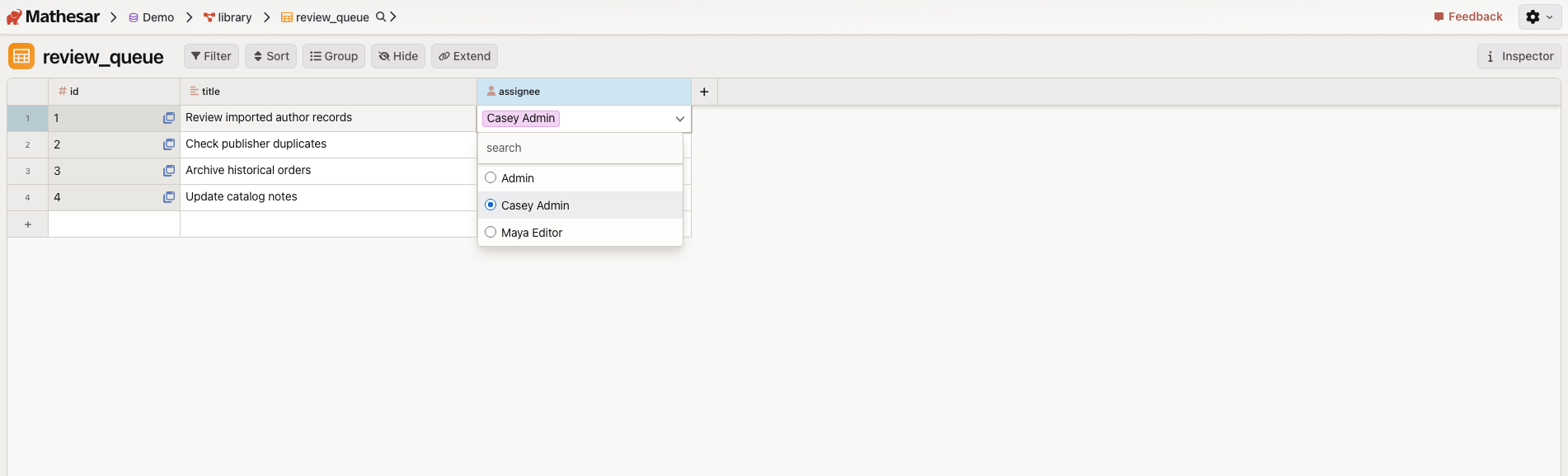
Mathesar's custom User data type now shows and allows selecting only users who are collaborators on the current database. Existing User-column cells that reference users who are not database collaborators will show a warning until those users are added as collaborators or the cell values are changed.
We've also updated the APIs so that non-admin users can no longer list all Mathesar users through the users.list and users.get RPC methods.
🔗 Better support for cross-schema relationships
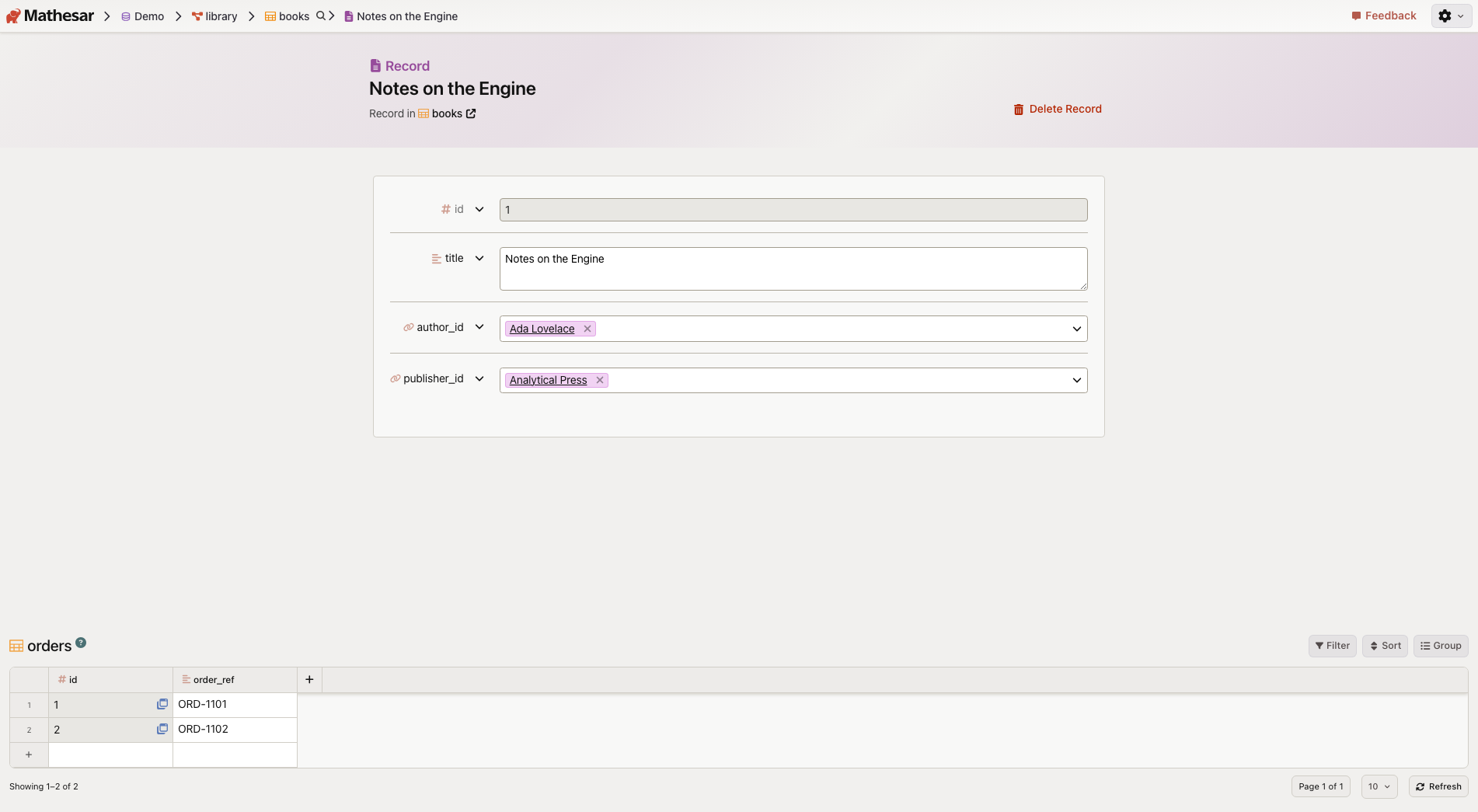
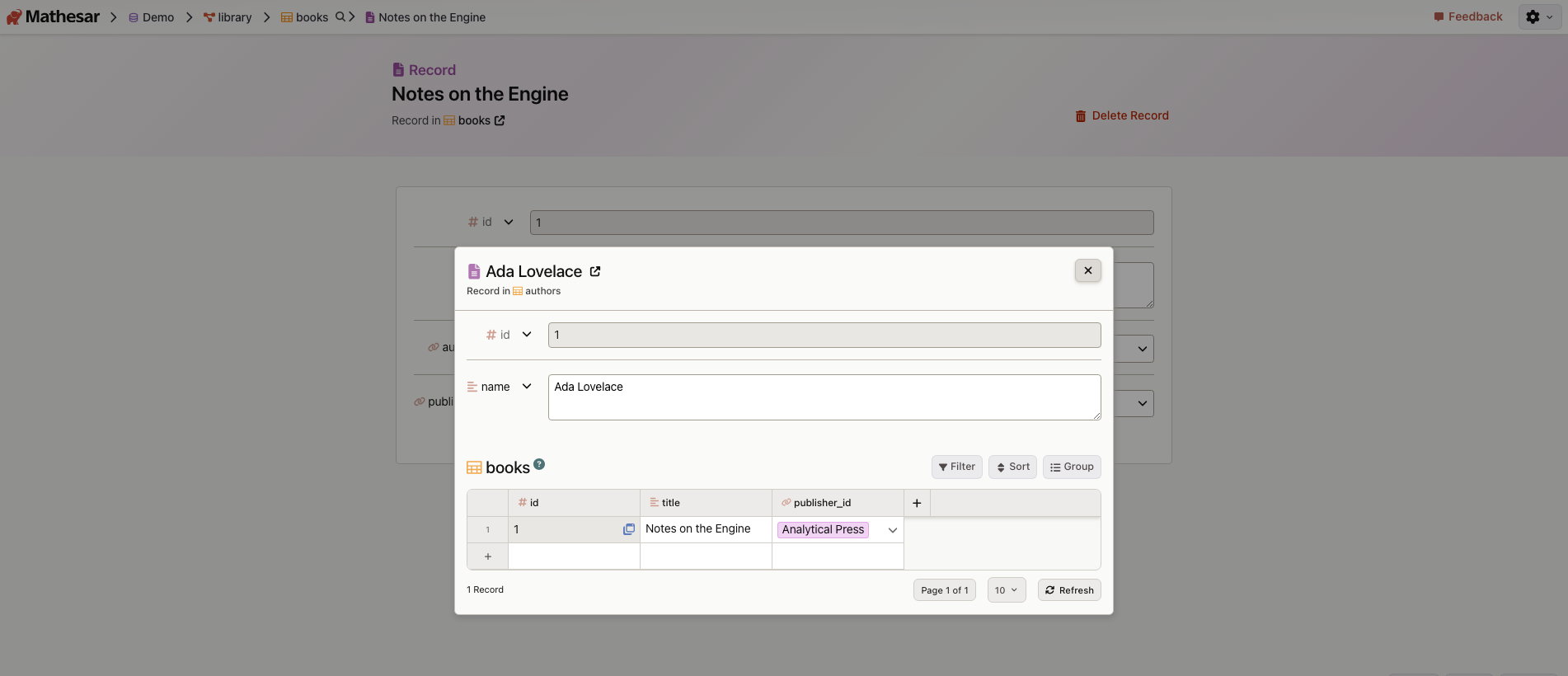
Mathesar now handles existing foreign key relationships where the linked tables are in different schemas within the same database. This improves navigation and display for linked records, relationship cards, foreign key constraint details, and related-table widgets.
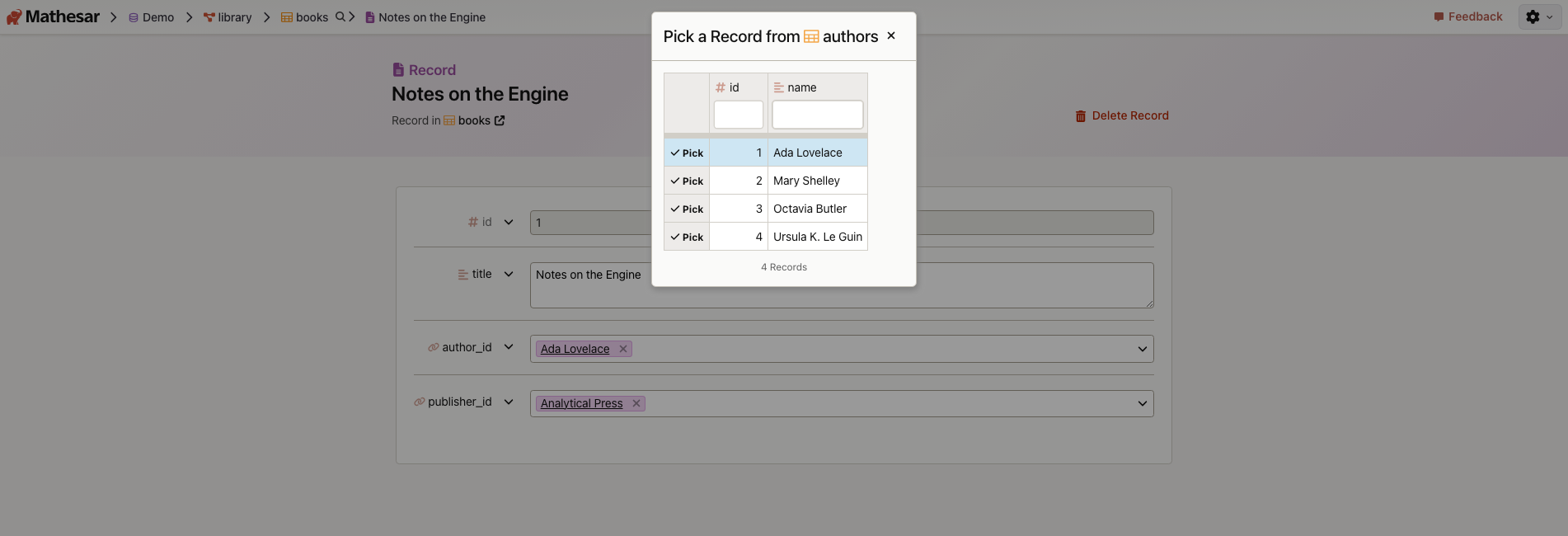
The linked-record picker and quick-view modal also work with records across schemas.
🧪 Experimental per-user database provisioning
Mathesar now includes an experimental PER_USER_DATABASES_ENABLED setting. When enabled, each newly created Mathesar user receives a PostgreSQL role and database on Mathesar's internal database server, both named after that user's username.
In this mode, non-admin users no longer see database permissions and database settings controls. This feature is experimental, and its behavior may change in future versions.
🧰 Bug fixes and maintenance
Mathesar 0.11.0 fixes an issue where exporting a saved Data Explorer exploration could fail when resolving the exploration within the selected database. It also fixes nondeterministic column ordering in table metadata returned by Mathesar's database functions.
We've also removed support for creating imported data files by passing a URL to the data-file API. Uploading a file and pasting tabular data remain supported.
⚠️ Upgrade notes
Mathesar 0.8.0 ended official support for PostgreSQL 13 and Python 3.9. Mathesar 0.11.0 supports:
- Python: 3.10 to 3.13
- PostgreSQL: 14 to 18
Mathesar 0.11.0 also stores usernames with a 63-character limit. Before upgrading, ensure no existing Mathesar users have usernames longer than 63 characters.
See the full release notes for upgrade commands and complete details.
Get started with Mathesar in minutes
Install Mathesar and simplify your workflow instantly.
